
Change History (mandatory)
| Date (newest on top) | Author | Change Summary |
|---|---|---|
| 2022-05-04 | David Trigg | Incorporate PPC review feedback |
| 2020-05-01 | David Trigg | initial version |
Purpose of this Document
To document the locations, particulars, and controls of the exterior lighting systems, each of which is very different in terms of how they are adjusted – just to make it fun.
EXTERIOR LIGHTING
Overview
- There are a number of exterior lighting systems, and the intent is to keep the timers on from dusk to around 10 to 11 pm. Don Marshall asks whether these lights are on the exterior of the Common Room?
- That sometimes is a challenge with time changes and the varying dusk times throughout the year – usually requiring the timers to be tweaked at least twice a year – more if they get messed up or there is a power failure – one supposedly has backup batteries but my guess is they may not hold a charge anymore (this is the one located in the Mechanical Room for the Common Room et al exterior lights)
Front illumination of building (flood lighting in the ground) and Wayside Pulpit

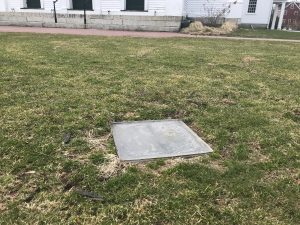
Floodlight next to the front steps Floodlight in the Common
The timer for these three lights is located in the “front – east” closet – located directly behind (north of) the sanctuary sound board. Access is via the small slanted wooden door. All three are on the same timer.
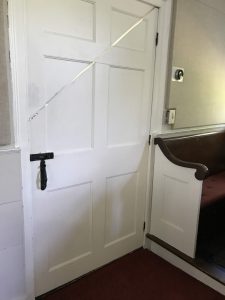
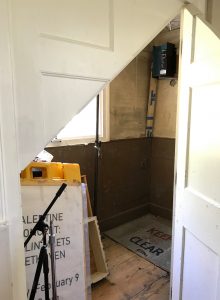
The timer is located to the left / east of the white circuit breaker box. (Don Marshall asks: Is this Breaker Box M2? Does someone know).
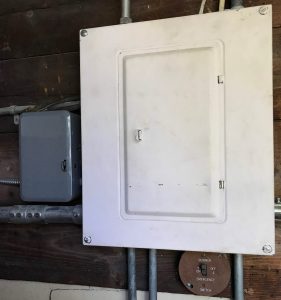


Timer closed Timer open
To reset the time or the on/off tabs it is best to first turn off the power via circuit breaker #8 in the circuit breaker box next to the timer
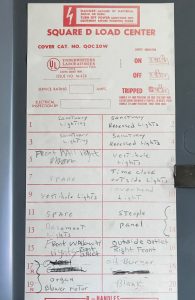
When you turn the circuit breaker off you will hear the clock motor (it is kind of noisy) stop.
Don Marshall asks: Lubrication required? Does anyone know?)
Directions are on the door of the timer box but it is quite simple (see below)
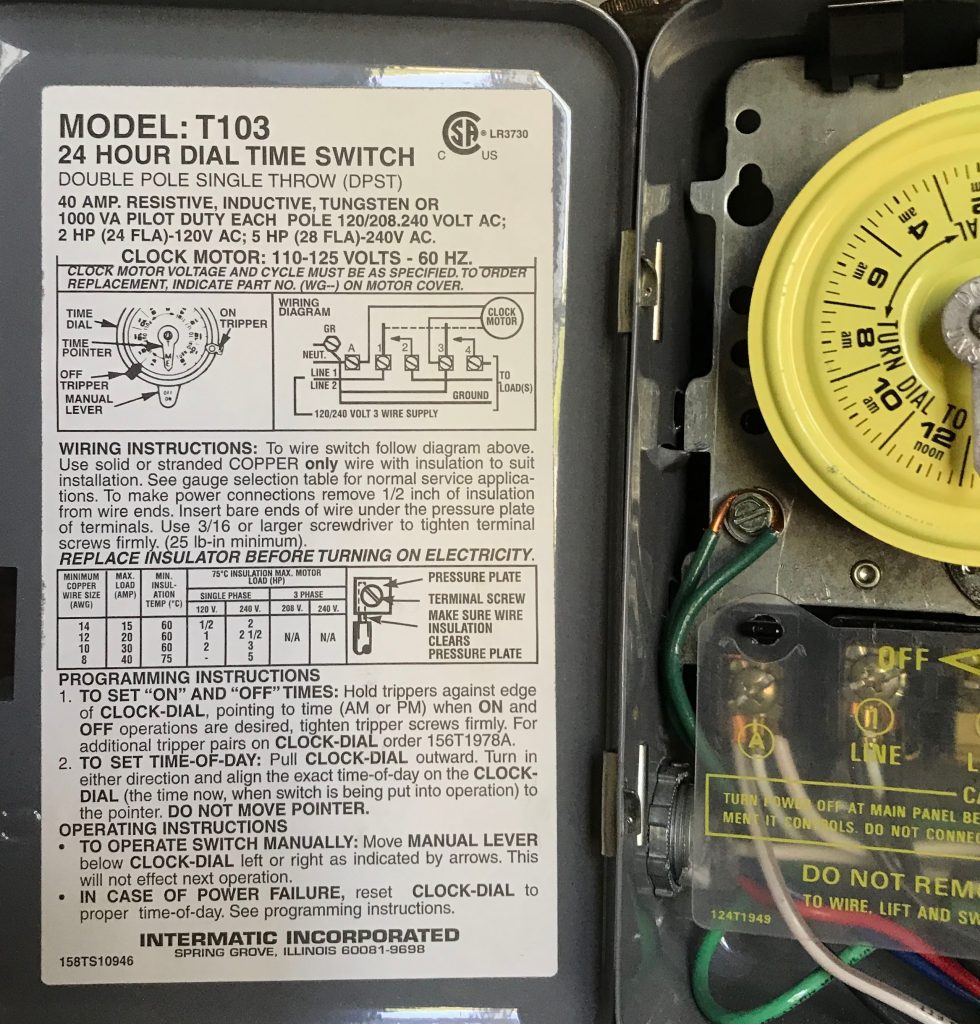
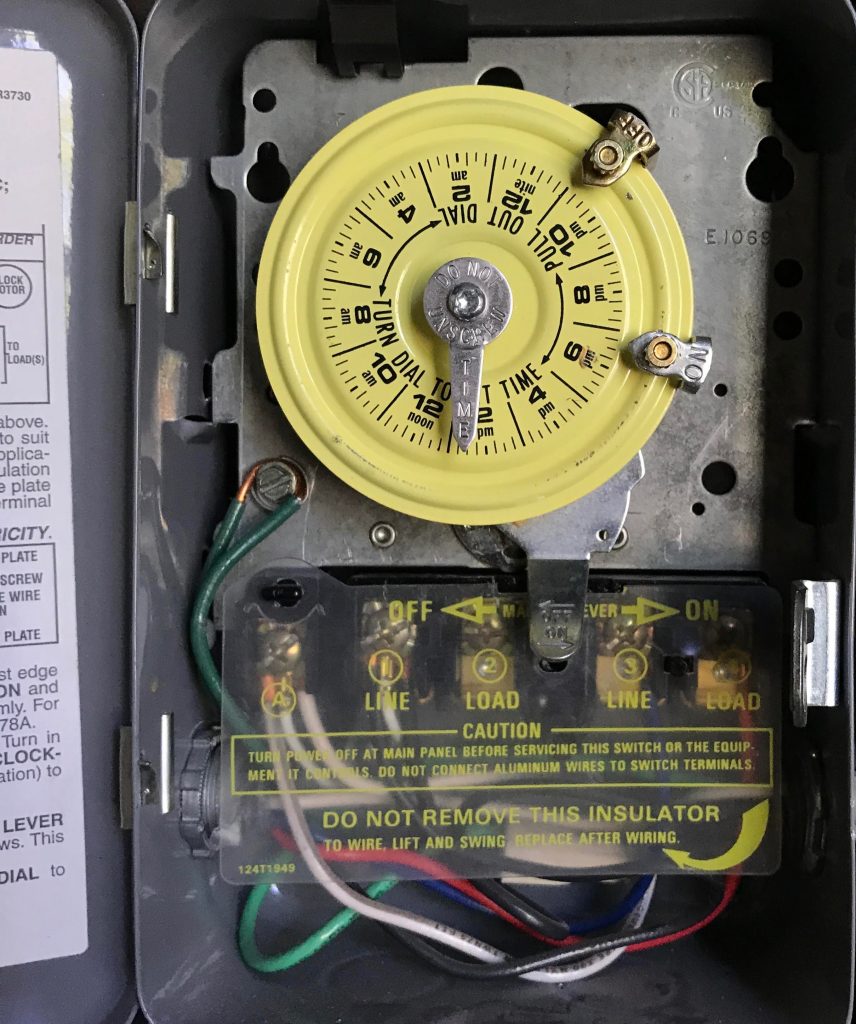
Setting the correct time of day
- Pull clock-dial outward
- Turn in either direction and align exact time of day to the Pointer.
- DO NOT move Pointer
Resetting the on/off times
- Unscrew (but don’t take completely off) the tab(s) shown above and gently slide the on and/or off tab(s) to the desired time.
- Then be sure to retighten the screw knob for the tab(s) – be sure to tighten it enough so that it does not slip – you may need a small set of pliers if your finger grip is weak but do not tighten so much it distorts the dial.
- If you want to keep the power on (or off) all the time then simply remove both tabs by unscrewing them a little further and storing them at the bottom of the box at the bottom.
- Overriding the time on this timer is accomplished by simply pushing the lever at the bottom (below the dial) to the desired position. The override will end at the next timer tab time unless both tabs are removed.
Floodlight replacement
- For the unit next to the front steps: Make and Model
- Make sure power to the fixture has been turned off (Breaker X in Panel Y)
- Remove the old bulb by XXXXX
- Replace the cover before restoring power
- For the unit on the Common: Make and Model
- Make sure power to the fixture has been turned off (Breaker X in Panel Y)
- Remove the old bulb by XXXXX
- Replace the cover before restoring power
- For the Wayside Pulpit: Make and Model
- Make sure power to the fixture has been turned off (Breaker X in Panel Y)
- Remove the old bulb by XXXXX
- Replace the cover before restoring power
_________________________________________________________________________________________
Front Sconce Light over the front door
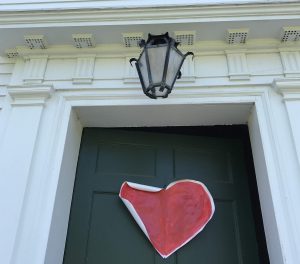
The timer for this is located on the south wall of the Narthex to the left (east) of the door to the sanctuary.
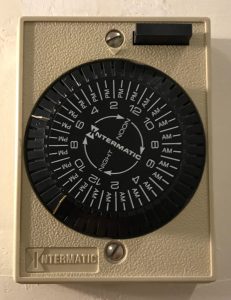
This timer is a bit of a challenge in that it is not apparent how to reset it. But it is really quite simple – just grasp and pull the dial straight out.


With dial removed Back side of dial showing the two tabs
- This backside is how you actually change the timer on/off tabs.
- Since only two tabs exist – one for “on” and one for “off” it can only do one on/off cycle per 24 hours.
- Right now it is set to have the light come on around 6:30 PM and off around 11:00 PM (EDT)
- Given the challenge in getting these tabs in and out we do not tend to change the times, and often do not adjust for EST to EDT and back. Thus it can be off by an hour during EST if the clock is not adjusted.
- Offset the clock for this purpose or after a power failure by simply turning the dial – clockwise only until it is at the correct time of day (via the arrow pointing to the top of the dial).
- If you want to manually turn the light on or off simple push the black button on the upper right of the timer box face. (There is a suggestion to add an arrow to this photo to improve clarity. Which we may do. At some time.)
_________________________________________________________________________________________
These three Exterior Light circuits are controlled by one (1) timer
– Common Room south exterior exit and patio outside lights (one on each side)
– The exterior light over the basement exit door in the southeast corner of the building
– The exterior wall light next to the landing for the South Rd entrance by the Minister’s Office / Study.
This timer used to also control the Elm St South Rd entrance exterior lights but ther is supposition that this was changed to an exterior light sensor switch above and the the left of the entrance as you face the church, so they are now on from dusk to dawn.
The timer for these is in the Mechanical Room on the north wall to the left of the door that leads into the Undercroft, and has “Intermatic” embossed on its cover door.
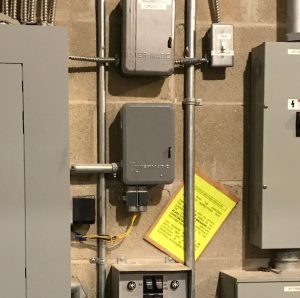
Circuit breakers controlling this timer and related lights are in the panel just to the left of the timer.

Instructions for this timer are located on the inside cover door (below).
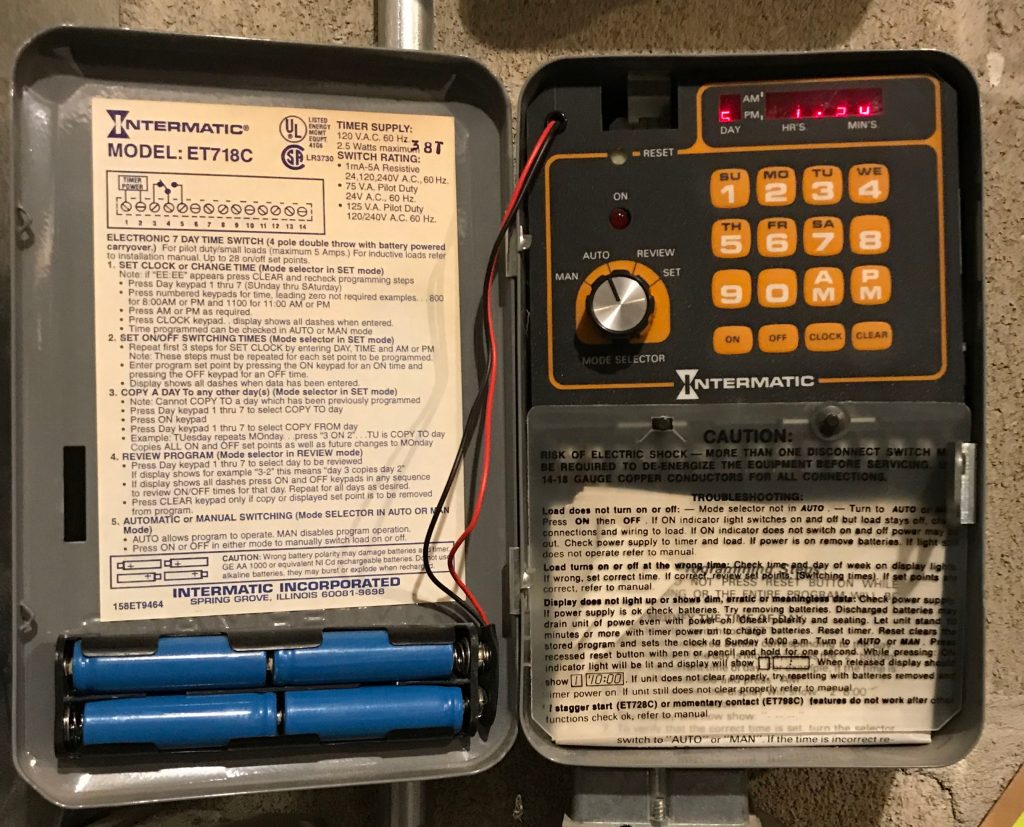 Although this timer has backup batteries (blue in the picture) you may still need to reset the time after an extended power failure.
A troubleshooting guide is also provided.
There are open questions as to how to check the batteries, and as to whether rechargeables would be a direction to take.
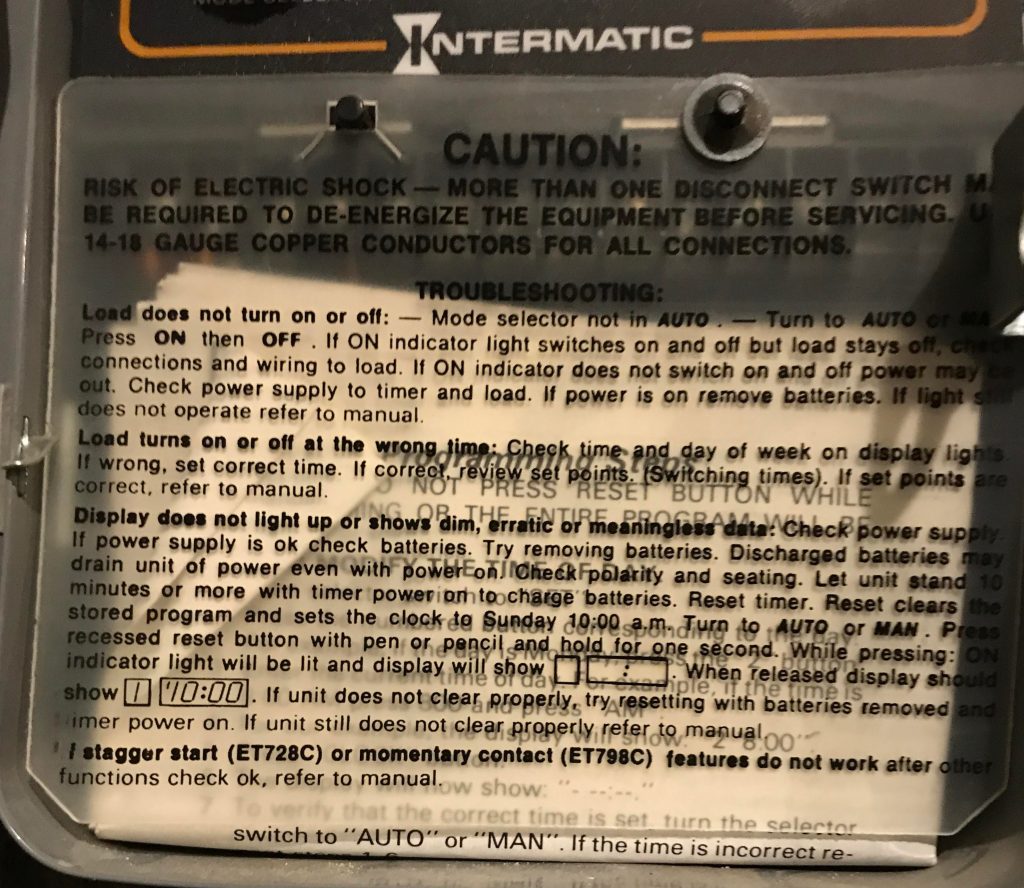
The instructions for setting and resetting this timer are quite complicated and very picky if you enter anything incorrectly.
- It is set to turn the lights on at dusk (adjusted several times a year) and off at 10 or 11 pm. Don Marshall ask if this is a Sexton task?
- It is also set to repeat day 1 on days 2-7 so each day has the same on and off times.
- If you follow the directions precisely you should not have a problem but be aware it is not always an intuitive interface.
- Also be sure to leave the timer on “auto” after you are done setting or resetting the timer.
- The red “light” is for when the timer is providing power to the lights and does not represent that the timer itself is functioning or not.
A quick tutorial from someone who knows this timer is probably the best approach to understanding its functions.
_________________________________________________________________________________________
Inter-matic Timer in basement near the one above that is labeled “Basement Fan Circuit 19”

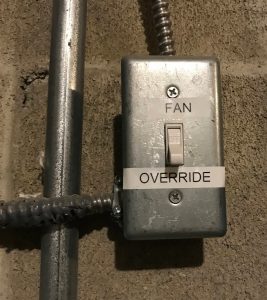
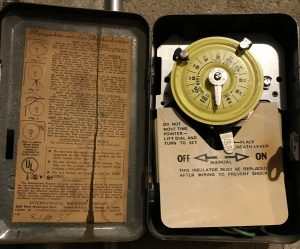
This timer is currently not functioning or in use. (we need to double check this point)
_________________________________________________________________________________________
Memorial Garden lighting
Are these functional? Is there a timer?
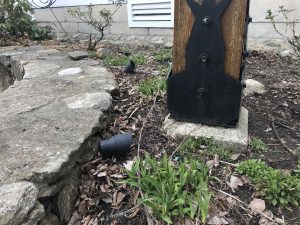
This system needs to be replaced with a more robust setup.